
Product
What iSearch does
iSearch takes the parts of the day that steal time. You get help where you stand — and you keep the last word.
In the day
How iSearch helps
iSearch takes what tends to stall the day. You finish and move on.
- 01
When the question comes
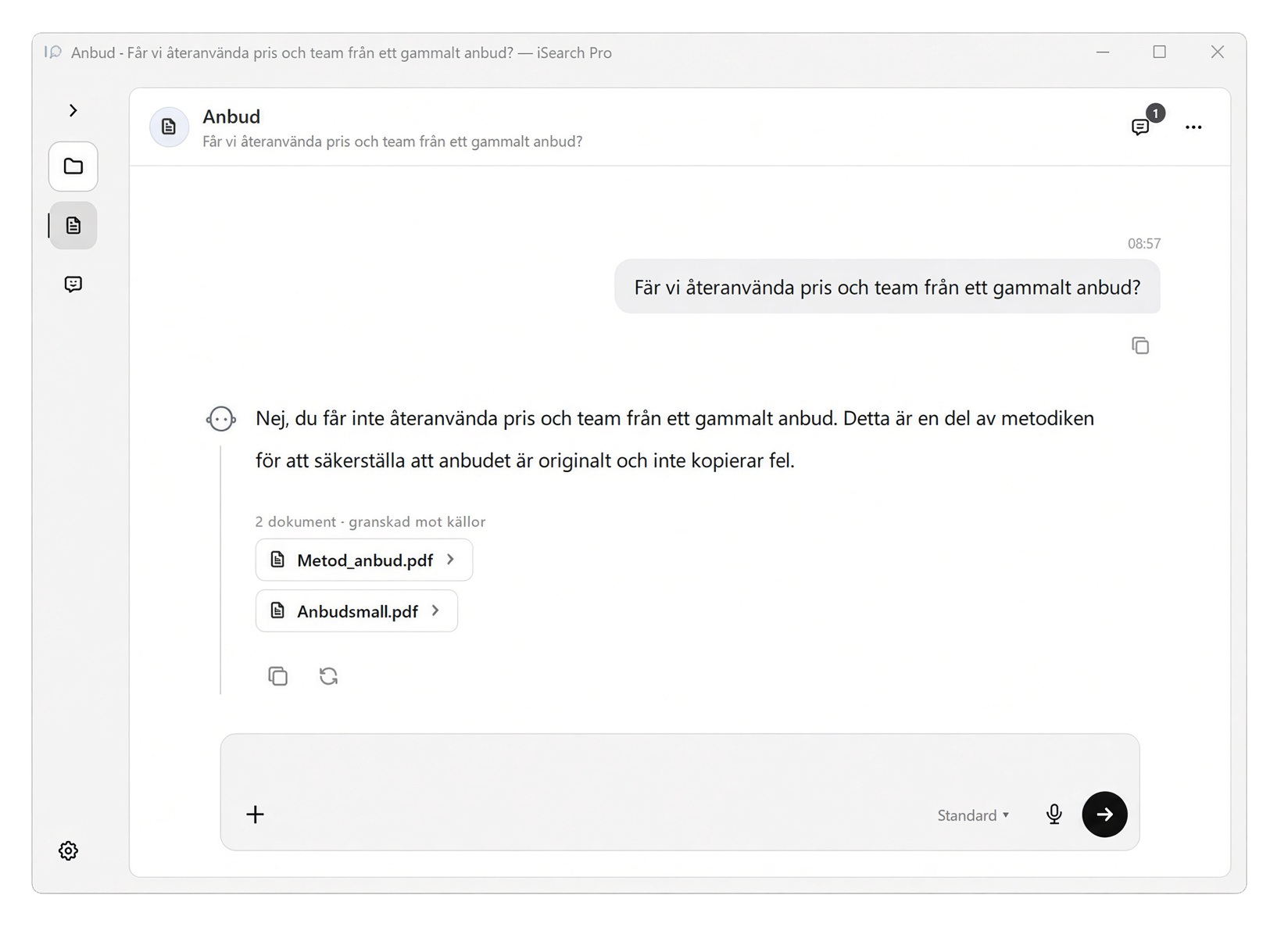
You do not have to interrupt someone else. iSearch answers where you stand, the way you usually do things.
- 02
When something must be written
You do not start from scratch. iSearch writes a draft. You read, change and you are done.
- 03
When the same thing comes back
Colleagues get the same help, without queuing for the person who knows. Each person keeps their own thread.
- 04
Where you actually are
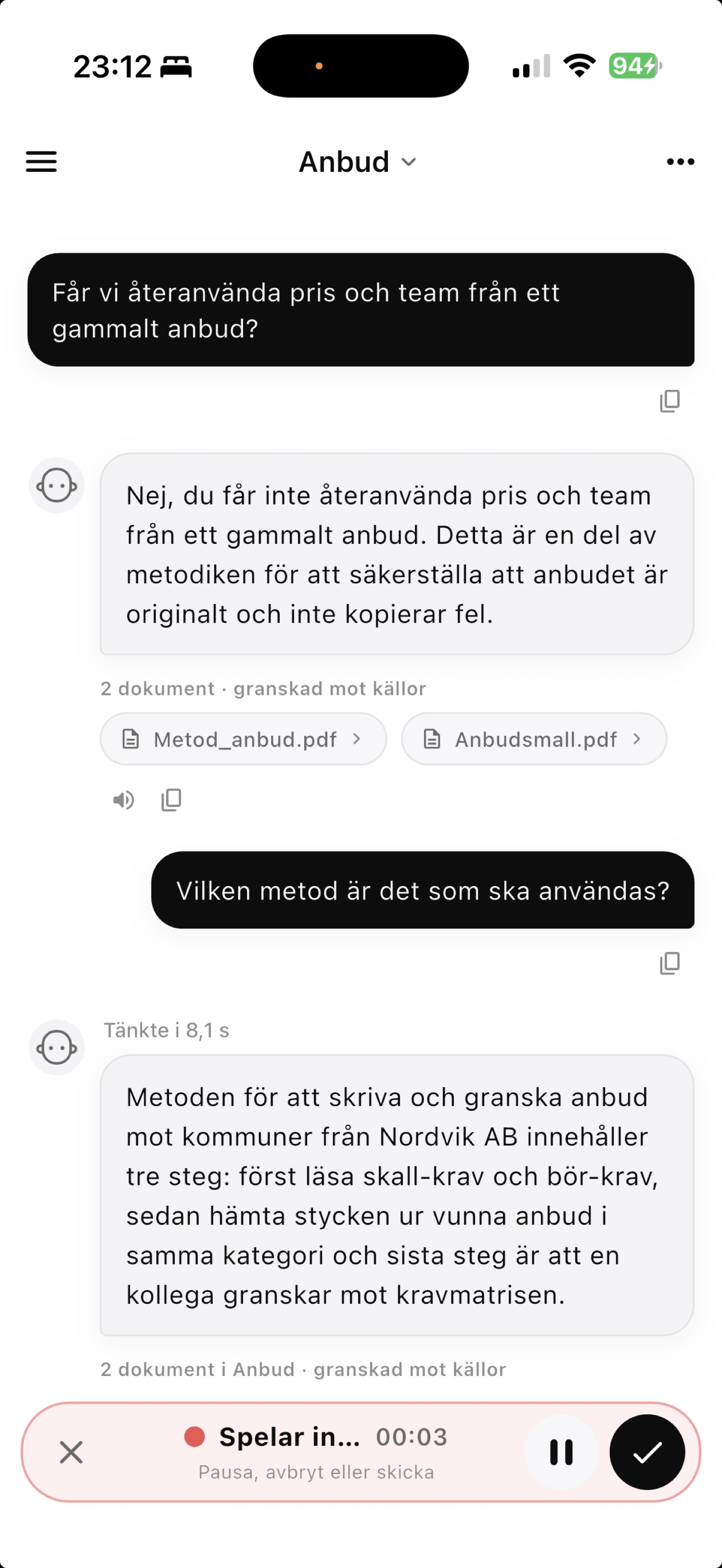
At the desk, on the phone, between two meetings. You continue where you left off.
In the day
What we take off your plate
We start from how the day looks where you are and set up iSearch around that. Not from a ready-made list.
- 01
The answer sits with someone else
Work waits while you find the person who knows. iSearch gives the same help where you stand.
- 02
The write-up takes longer than the meeting
Afterwards it has to become text. iSearch drafts it. You finish it.
- 03
The same question every week
Colleagues ask the same thing. You stop answering twice. Everyone gets the same direction.
- 04
The day goes to everything around the work
What you are there for has to wait. iSearch takes what steals time — you go back to the work.
02
Why choose iSearch
- 01
One assistant per task
Give it a name and a job — dictation, referrals or tenders, for example. It only uses the documents you connect.
- 02
Answers from your material
You see which sources were used. If the material is missing, that is stated. You review before anything leaves you.
- 03
You control access
Colleagues can use the same assistant. You keep the setup. Each person has their own history.
03
You share the assistant.
Each person keeps their own chat.
You choose who can use an assistant. They can ask questions from the same documents. You keep the setup. Each person has their own history.
What colleagues receive
-
You choose who
Invite selected people or the whole company.
-
Ready immediately
Colleagues can start asking questions from the same documents straight away.
-
Documents can be shared on their own
The recipient can attach them to their own assistant. You keep ownership.
What stays with you
-
The owner stays in control
Recipients ask questions. Instructions and documents stay with the owner.
-
Chat stays personal
Each user keeps their own history.
04
Documents you already have
Start with files from the computer, or connect folders you already use. Which connections fit your environment is covered in the conversation.
05
Three ways to start
Pricing depends on the number of users and how knowledge will be shared. We send a quote after a walkthrough.
Team
A working group that wants to get started.
- Your own assistants
- Desktop and mobile
- Answers with sources
- Hosted by us
Organisation
When more people in the company need access.
- Everything in Team
- Sharing in the company
- Connect files you already have
- Hosted by you or by us
- We set up the assistant for you at start
Enterprise
When IT and procurement require a contract.
- Everything in Organisation
- Data processing agreement
- Joint onboarding
- A dedicated contact